
Eriksson Commercial Design Suite: $3,995/year
Eriksson Commercial includes Eriksson Wall, Beam, Connect, Column, and Weld. Use our state-of-the-art framework and analysis engine to design all of your precast components. Streamline the structural design process while lowering costs and improving quality and productivity.
Eriksson Weld
Key Features
- Four AISC weld-analysis methods, run together
- Elastic Vector, Instantaneous Center, Line Load & Coefficient Table
- 2D (planar) and 3D (spatial) weld groups
- LRFD and ASD with configurable φ / Ω
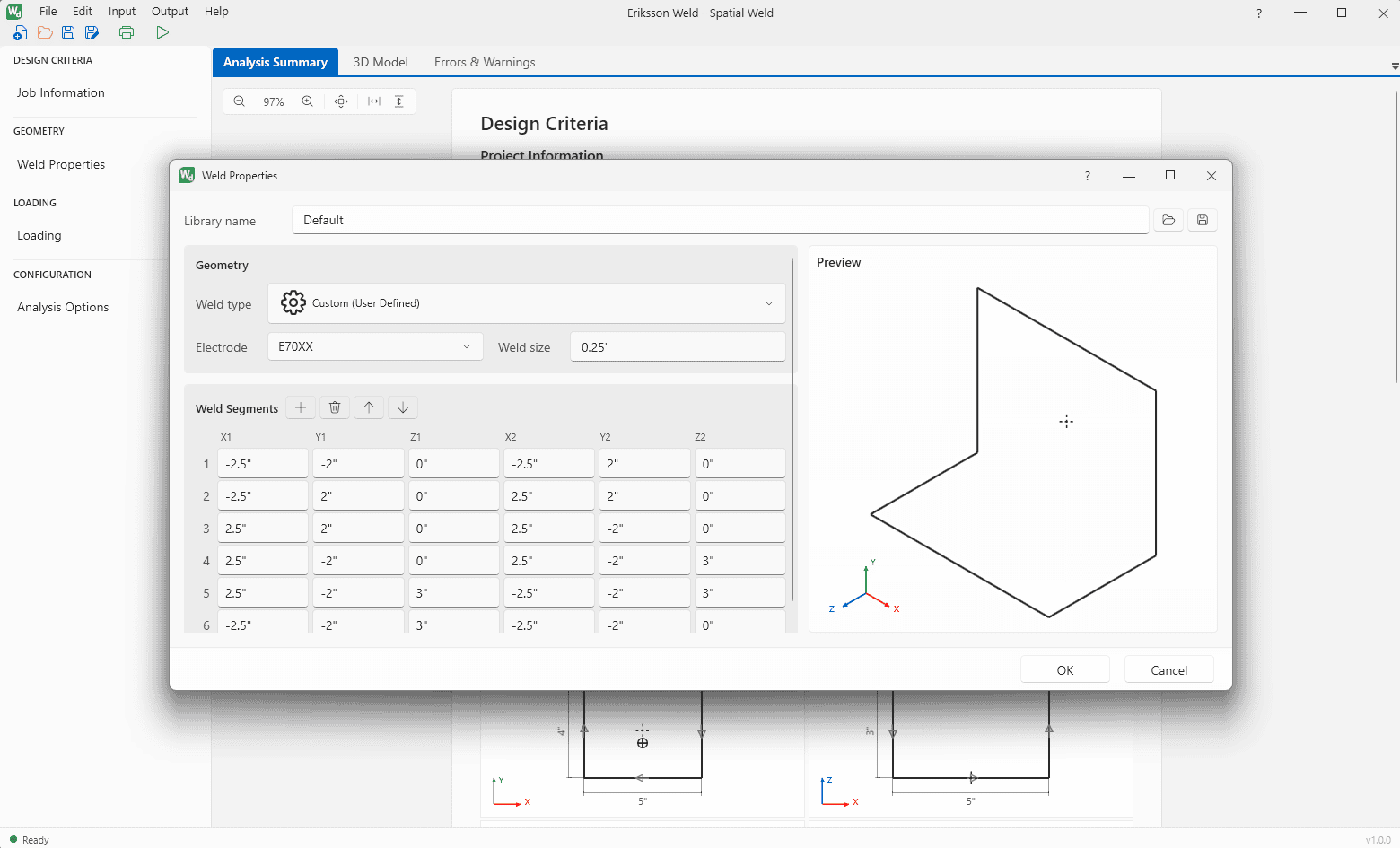
- Predefined Manual patterns + user-defined segments
- Full 3D loading — forces, moments & eccentricities
- E60XX – E110XX electrodes
- Paginated, printable calculation report
- .NET Automation API over Named Pipes
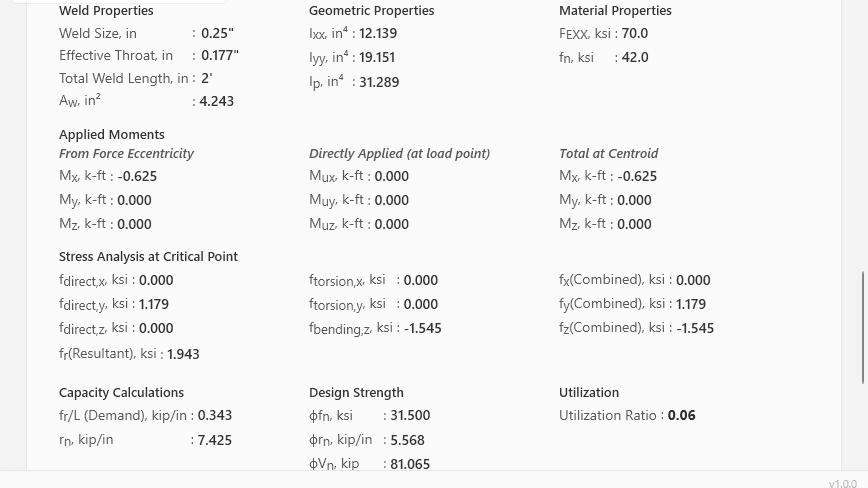
Eriksson Weld is a Windows desktop application for the design and analysis of welded connections to the AISC Steel Construction Manual. It evaluates a weld group by four independent methods at once — Elastic Vector, Instantaneous Center, Line Load, and the AISC coefficient tables — and presents capacity, demand, and utilization together so the governing result is never in question.
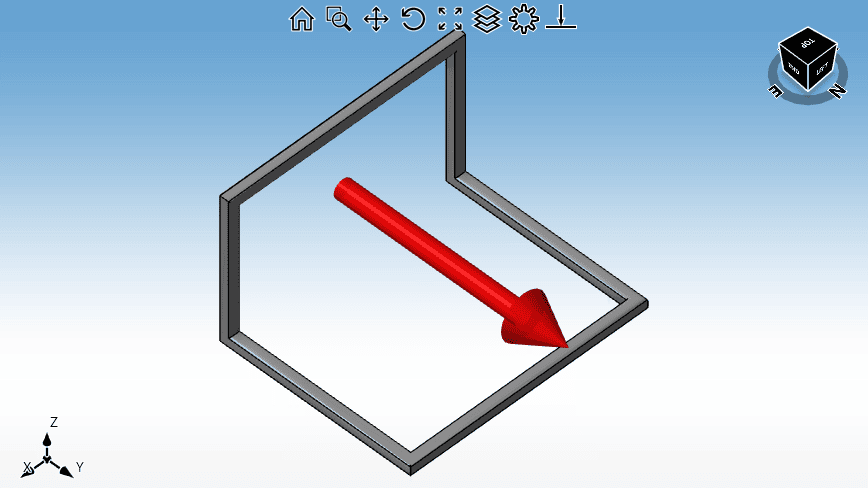
Weld groups are built from the Manual's predefined patterns or from user-defined segment geometry in 2D or 3D, under a full three-dimensional system of forces, moments, and eccentricities, and checked by either LRFD or ASD. An interactive 3D preview and weld symbols confirm what you've modeled before you run.
Independent verification, built in. Elastic and ultimate-strength methods on the same weld group let you confirm capacity against more than one basis — and see exactly which one governs — without leaving the connection. One model in, four checks out.
Four Methods, One Weld Group
Elastic Vector
Classical elastic (vector) analysis. Superimposes direct and torsional/flexural stresses on every weld element and governs by the peak resultant. Fast, familiar, and conservative.
Instantaneous Center
Ultimate-strength method locating the instantaneous center of rotation via the AISC load–deformation weld response. Solved by a nonlinear, multi-start iteration.
Line Load
Expresses weld demand and strength as force per unit length (kip/in) — convenient for sizing continuous welds and matching them to the connected base-metal capacity.
AISC Table
Direct application of the Steel Construction Manual Part 8 coefficient tables (8-4 – 8-11) for eccentrically loaded weld groups, with interpolation across angle and geometry.
Model It, Load It, Check It
What You Get
Four Analysis Methods
Elastic Vector, Instantaneous Center, Line Load, and AISC Table — solved and compared in one run.
2D & 3D Weld Groups
Planar and spatial configurations with an interactive geometry preview and weld symbols.
LRFD & ASD
Both design philosophies with configurable resistance (φ) and safety (Ω) factors per method.
Predefined AISC Patterns
Manual Part 8 weld shapes (Tables 8-4 – 8-11) ready to size, plus line, planar, and spatial presets.
User-Defined Geometry
Enter arbitrary weld segments as 3D coordinates; save and reuse them from the geometry library.
Automation API
Drive analyses from your own .NET tools over Named Pipes with JSON-RPC 2.0 for batch and parametric work.
Modeling, Loading & Results
Modeling & Loading
- Predefined AISC patterns — line, planar & spatial presets and Manual weld shapes, selected visually.
- User-defined segments — arbitrary weld runs entered as 3D (x,y,z) coordinates.
- Full 3D loading — forces Pux/Puy/Puz, moments Mux/Muy/Muz, and eccentricities.
- Electrodes — E60XX–E110XX with fillet weld size in inches.
- Geometry library & templates — save, reuse, and start from prepared projects.
Results & Reporting
- Every method, side by side — capacity, demand, and utilization for each analysis.
- Governing check — the controlling method and pass/fail are called out clearly.
- Errors & warnings — per-method diagnostics when an input is out of range.
- Professional report — a paginated, printable summary of inputs, geometry & results.
Automation API
Eriksson Weld exposes a local automation interface over Named Pipes using JSON-RPC 2.0. An external .NET application discovers a running instance, submits a weld project, and receives complete results — ideal for batch runs, parametric studies, and embedding weld checks inside your own design tools.
// discover a running instance, submit, receive results
  var hits = ProcessFinder.GetRunningInstances("Eriksson.Weld.UI");
  var client = await IpcClient.ConnectAsync(
      new IpcClientArgs("eriksson-weld", hits[0].Id));

  var req = new RunAnalysisRequest { ModuleType = "weld",
      Payload = JsonSerializer.SerializeToElement(new WeldProjectData {
          WeldType = AISCWeldType.HorizontalLine,
          Electrode = WeldElectrode.E70XX,
          WeldSize = 0.25, DimensionX = 10.0,
          Pux = 10.0, Puy = 5.0,
          RunElasticVector = true, RunInstantaneousCenter = true }) };
  var res = await client.SendAsync<RunAnalysisResponse>(req);
Specifications
Buy Now
Prices include full technical support and access to all updates.
Single User License
Software can be installed on a single workstation. This license is tied to the workstation's hardware and cannot be shared with other users, and can only be moved to another machine after contacting us. Most suitable for mobile computers or a single user/workstation setup.
Buy NowFloating Network License
Installed on as many workstations as you like; the number of concurrent users is limited by the seats you purchase. The license server lives on your network and checks seats in and out automatically — ideal for offices and teams.
Contact UsEriksson Weld is also included in the Eriksson Commercial Design Suite ($3,995/year) with Wall, Beam, Connect, and Column.